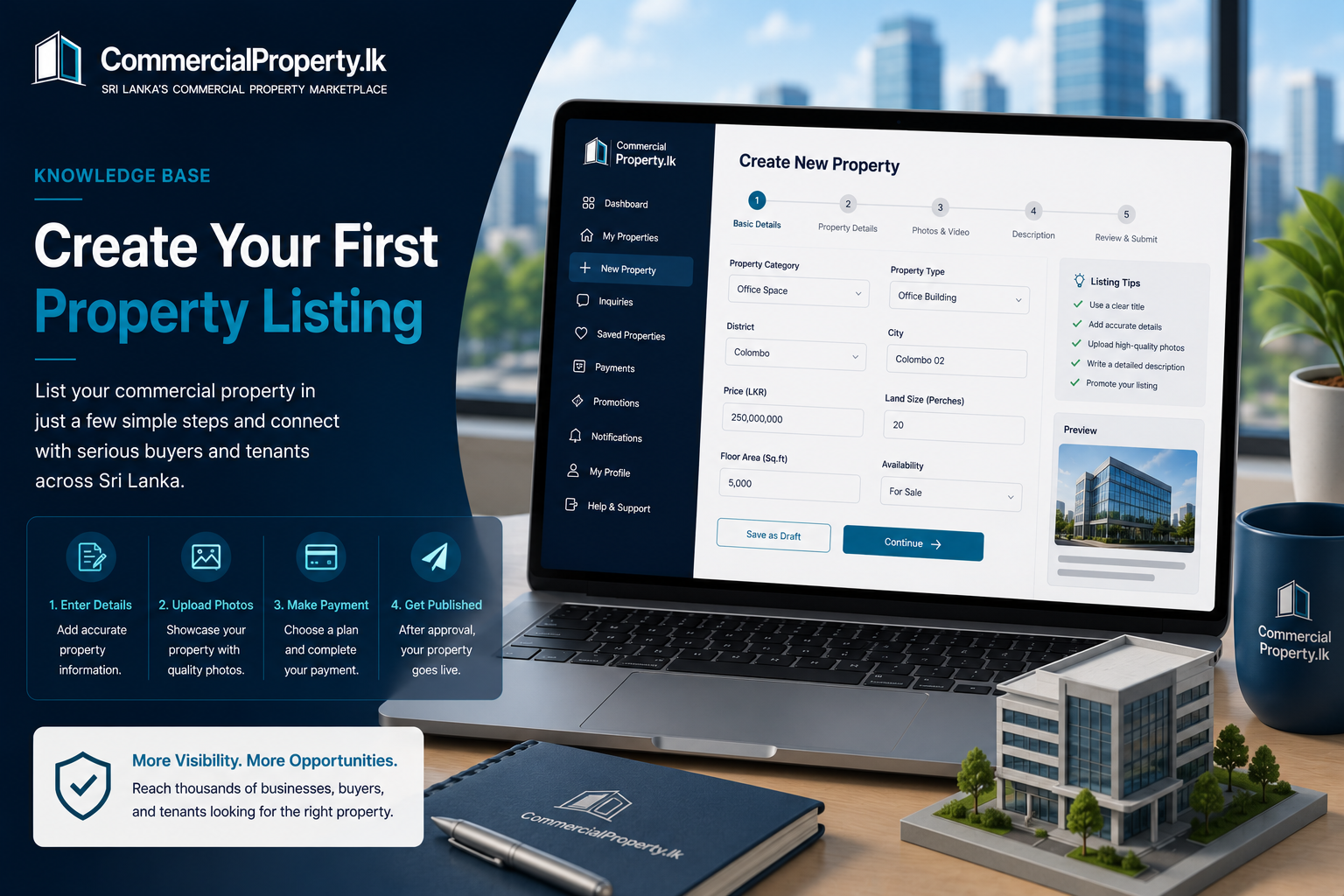
Create Your First Property Listing
Category:Property Listings
Reading time:3 minutes
Ready to Advertise Your Property?
Creating a property listing onCommercialProperty.lkis simple. Follow these steps to publish your commercial property and start receiving inquiries from businesses, buyers, and tenants.
Before You Begin
Make sure:
You're signed in to yourCommercialProperty.lkaccount.
Your profile is complete.
If you're anAgency, your agency has been successfully verified.
You have photos and property details ready.
How to Create a Property Listing
Sign in to yourCommercialProperty.lkaccount.
Click+ New Propertyfrom your dashboard or selectMy Properties→New Property.
Choose the appropriateProperty Category.
Select theProperty Type.
Enter the property location.
Complete the property details.
Upload high-quality photos.
Add a clear property description.
Review all information.
ClickSave as Draftor Continueto Payments.
Proceed Payments
Submit the Listing for review
Complete the Listing Details
Depending on the property type, you'll be asked to provide information such as:
Property Title
Property Category
Property Type
District & City
Address (optional)
Floor Area
Land Size
Price
Property Features
Parking Availability
Furnishing Status
Description
Provide as much information as possible to attract more potential buyers and tenants.
Upload Quality Photos
High-quality images help your property stand out.
For the best results:
Upload clear, high-resolution photos.
Include exterior and interior views.
Show key features and amenities.
Mark the primary image.
What Happens Next?
Property Owners
After completing your listing:
Submit the listing.
Your payment is reviewed by the Finance Team.
The listing is reviewed by theCommercialProperty.lkProperty Approval Team.
Once approved, your property is published and live.
Then the listing is verified by theCommercialProperty.lkAdminTeam.
Once approved, your property gets the Verified badge.
Agencies
Agency listings follow a different workflow:
Agents create the property listing.
The listing is reviewed by theAgency Super Admin.
Once approved internally, the property is published and live
Then the listing is verified by theCommercialProperty.lkAdminTeam.
Once approved, your property gets the Verified badge.
Tips for Better Results
To receive more inquiries:
Write a clear and descriptive title.
Upload multiple high-quality photos.
Provide accurate pricing.
Include detailed property information.
Keep your availability up to date.
Promote your listing usingBoost,Featured, orSponsoredoptions.
Related Articles
Continue with these helpful guides:
Manage Your Properties
Property Listing Approval Process
Promote Your Property Listing
Manage Property Photos
Was this article helpful?
If you still have questions, our support team is here to help.
Submit a Support TicketNot signed in? Sign in first
